
UDS in Relevant
Introduction
At Relevant, we strive to make UDS submission as painless, transparent, and accurate as possible. You can use our UDS tools while preparing your UDS submission, validating data during an audit, and assessing trends throughout the year.
HRSA Resources
The 2025 UDS Manual is an indispensable resource for anyone involved in UDS submission. We also recommend checking out HRSA’s UDS resources page.
Relevant’s UDS module
Within Relevant, you can find the UDS module by navigating to Reports > UDS. You’ll see screens like the following:
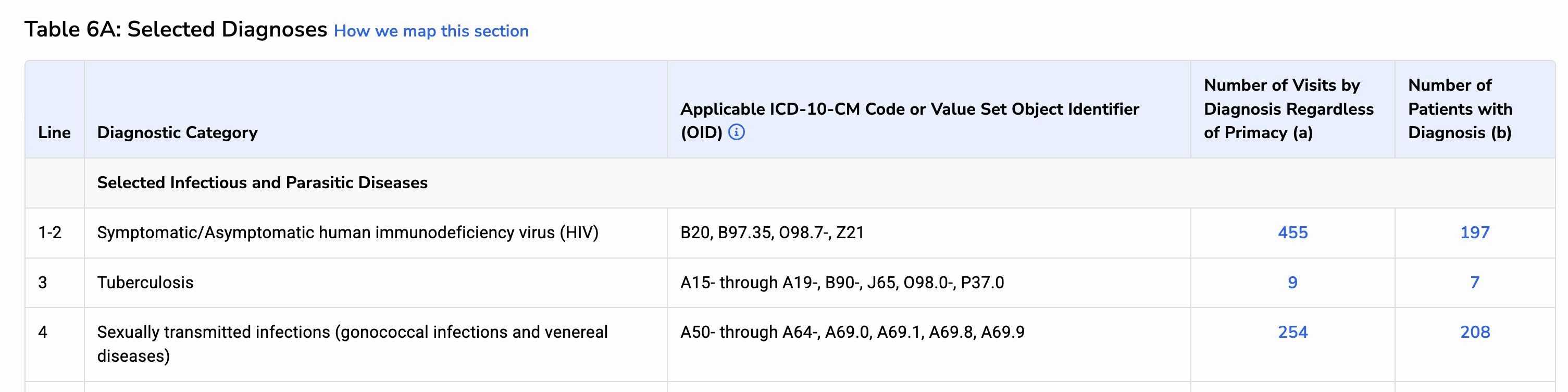
We provide extensive documentation within the UDS module, in the form of blue links that say “How we map this section” and so forth. (You can see an example in the above screenshot.) You’ll also find many blue “info” icons; click these to learn more about the mapping for a particular column or row.
From January through March, the UDS Module shows data for the prior calendar year. In April, it’s flipped to display data for the current calendar year.
Additional functionality
Beyond our UDS Module, we provide:
- UDS Snapshot capabilities, which allow you to freeze your data just before submission to HRSA
- UDS Validation Reports, which are located in the Reports Library (filter by the tags “UDS” and “Data Validation”)
- UDS Appendix Reports, also located in the Reports Library
- A UDS Comparison Dashboard, which shows prior-year snapshot vs. current YTD comparisons
Additional resources
The on-screen documentation (within Relevant’s UDS module) is the best place to go for detailed information about how a given table is mapped or implemented.
The UDS section in our Help Center covers Frequently Asked Questions for UDS, a running list of this year’s UDS changes, and much more.
Finally, you may wish to review our recorded UDS trainings from prior UDS years. We are no longer recording new UDS trainings, but nearly all of the content from these older webinars remains relevant.