
Freezing your UDS data
Overview
The numbers in Relevant’s UDS module are re-calculated each night, based on the most recent data in the EHR. However, health centers often wish to “freeze” their UDS data as of a certain date—typically, when they are ready to submit final numbers to HRSA via the Electronic Handbooks (EHBs) process. To support this, Relevant provides two related pieces of functionality: an “Export” button in the UDS module, and a “UDS Snapshot” feature.
Export your UDS Report
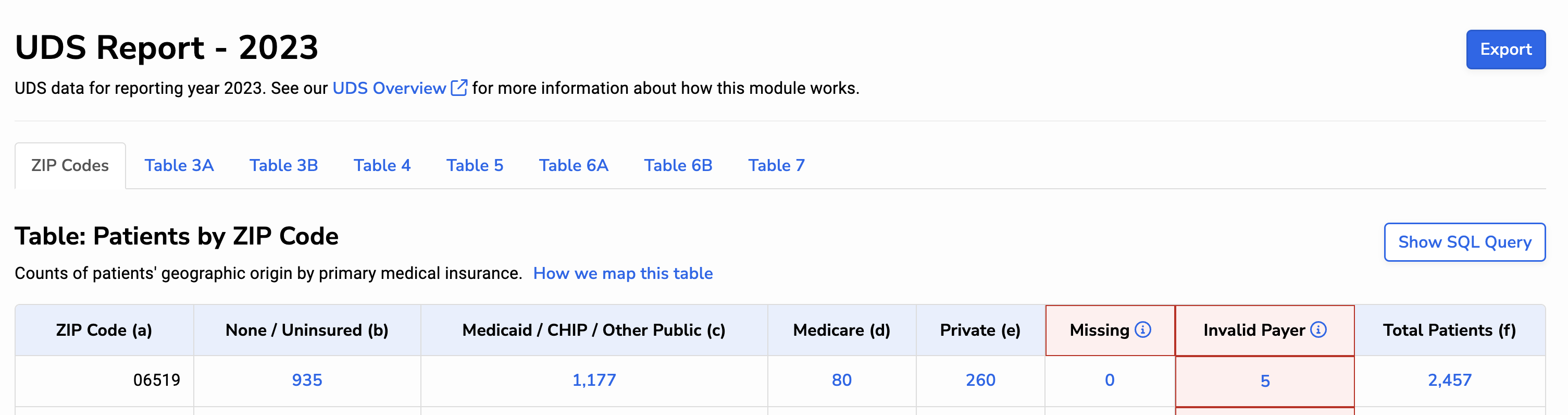
Within Relevant’s UDS module, we provide an “Export” button (pictured below) that copies all of the data in the UDS report into a single Excel spreadsheet for download. All users with the “View UDS” ability can use this button to export the UDS report as needed.
The spreadsheet includes each number on each UDS table (except for tables that are not calculated in Relevant, such as Table 9D). Separate tabs provide further breakdowns for special populations, which are required for UDS reporting if your health center receives a MHC, HCH, or PHPC grant.
When users click the “Export” button, the resulting spreadsheet is not saved by Relevant. We encourage health centers to retain these spreadsheets if they will be needed for future reference.
While exports include each data point from each UDS table, they do not include the row-level details behind these numbers (i.e. drill-thru details). If you want to capture this underlying data, we recommend taking a UDS Snapshot, discussed below.
UDS Snapshots
UDS Snapshots copy the row-level data behind your UDS numbers, and stores this data within Relevant’s data warehouse. The snapshot data will not change, even as the underlying EHR data continues to shift. In addition, a spreadsheet containing UDS summary data (the same spreadsheet that’s created when you click the “Export” button) is created and stored on Relevant’s infrastructure.
Relevant will take a UDS Snapshot for all health centers on Friday, February 13th, 2026, at approximately 3 PM ET. If you would like an additional snapshot on a different date, reach out to your Relevant analyst or contact support@relevant.heathcare.
At this time, snapshots can only be initiated by Relevant’s support team. Health centers can take up to five snapshots for a given UDS reporting year.
Viewing snapshot data
Snapshot data is not directly visible within the UDS module. However, we provide a series of Standard Reports for this purpose. These reports can be particularly useful during the audit phase of your UDS submission, when you may need to review the line-level records uderlying the data submitted to HRSA.
To view snapshot reports, go to Reports > Reports, and type “uds snapshot” in the search bar. Note: you may have to change the “Status” filter to include reports in “Published (hidden)” or “Archived” status.
In addition to these reports, you can view snapshot data directly in the Relevant Data Warehouse. It’s stored in a series of tables in the “rdm” schema, beginning with uds_table\_.
Note: prior to UDS 2024, Relevant provided Library reports for viewing UDS snapshot data. Our new standard reports are more robust, so we recommend archiving the library versions if you’re still using them.
Technical details of UDS Snapshots
When a snapshot is taken, these tables are populated with new rows from corresponding database views. The data flow is similar to the steps described in our article on the UDS+ Data Flow. Of note:
- The “uds_patients” contains all of the data for the first four UDS tables. More than a dozen additional tables are used to capture the data in Tables 5, 6A, 6B, and 7.
- Often, the snapshot includes a copy of relevant source data alongside the UDS value. For example, in the “uds_patients” table, the “uds_race” column provides the UDS race category assigned by Relevant at the time the snapshot was taken; the “race” column stores the string value associated with rdm.patients.race_id at the time the snapshot was taken; and “race_raw” stores the value of rdm.patients.race_raw at the time the snapshot was taken.
- When possible, we show the UDS line number for each row in the snapshot data. For example, the “uds_table6a_diagnosis_visits” table contains a column called “uds_line”.
- For portions of Tables 5 and 6A, we show which visit code qualified a patient for a particular line. (See the “uds_qualifying_codes” column on these snapshot tables).
- For portions of Tables 5 and 6A, we show which visits were counted and which were not counted due to the visit de-duplication rules specified in the UDS manual. (See the “uds_countable” column on these snapshot tables.)
The spreadsheet that is created as part of the UDS Snapshot is not currently visible within the UDS module. If you’d like to see it, ask support@relevant.healthcare and we’ll send it over.