Editing Dashboards
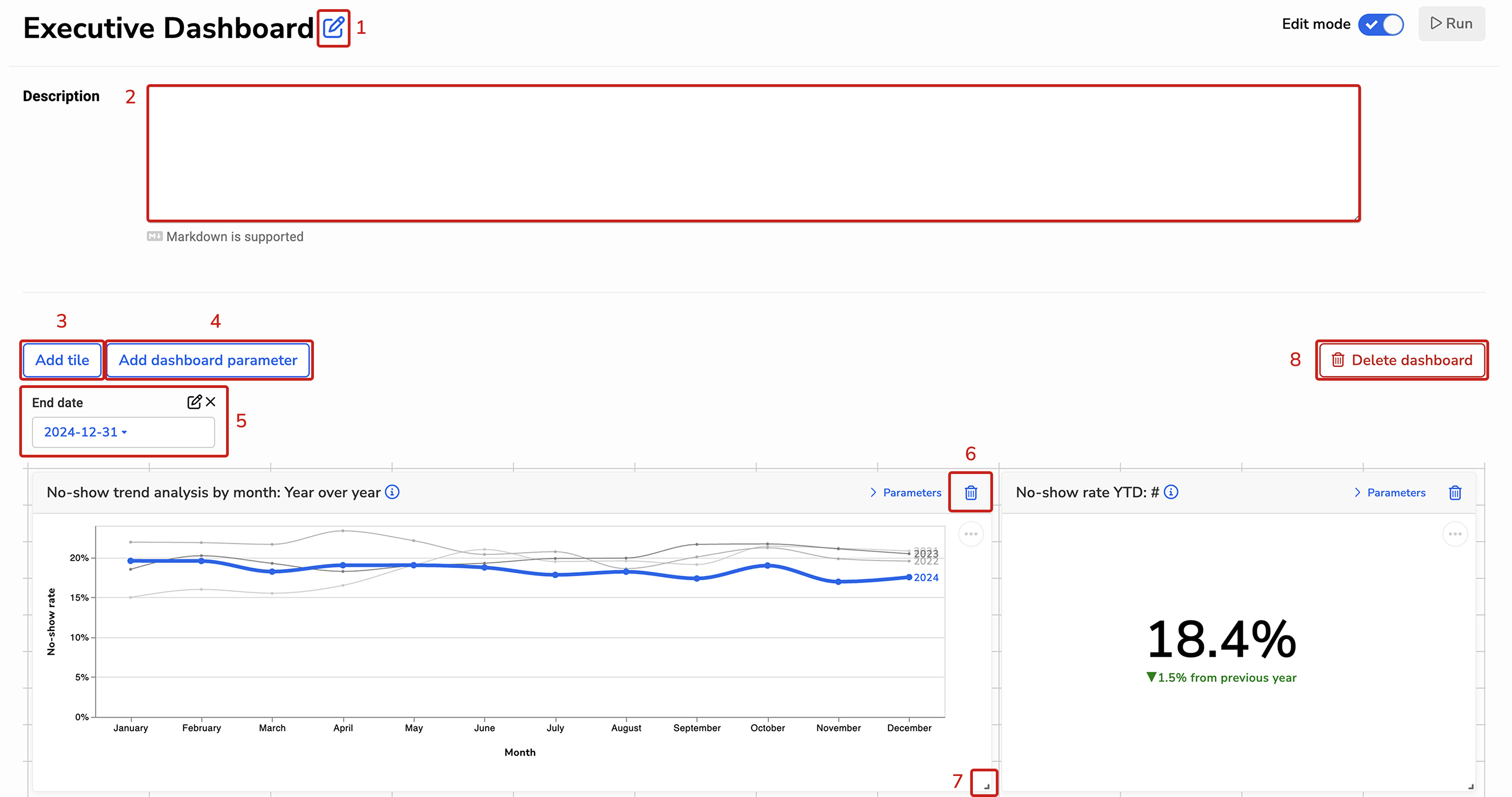
Users with the “Manage Reports” ability can edit Dashboards by toggling on edit mode. Once in edit mode, you can:
- Rename the Dashboard – this is the name users see at the top of the Dashboard.
- Edit the Dashboard description – this is displayed directly under the Dashboard’s name and can be collapsed. Note: Markdown is supported.
- Add a new Dashboard Tile.
- Add a new Dashboard Parameter.
- Edit or delete an existing Dashboard Parameter.
- Delete an existing Dashboard Tile.
- Resize existing Dashboard tiles.
- Delete the Dashboard.