
Using Risk Scores Overview
Risk scores for enabled Risk Models will show up in bubbles like those pictured below on various screens. They will be labeled with the corresponding Risk Model’s short name (e.g. CCI, VIS), display the patient’s risk score to the tenths place, be colored according to the Risk Model’s risk level configuration, and display risk factor breakdowns on hover when applicable.
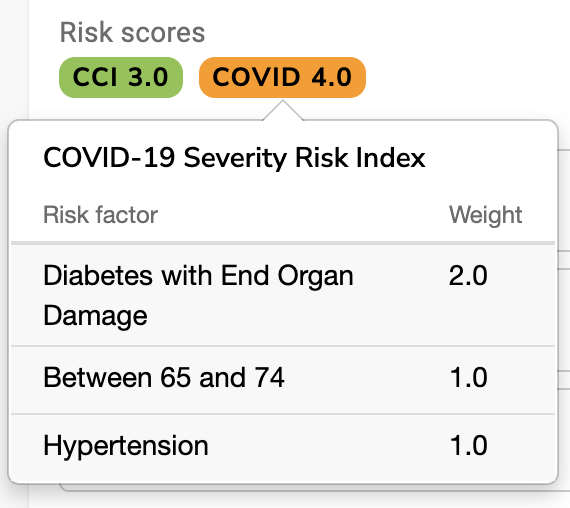
Users will see these risk score bubbles on the following screens:
- Visit Planning
- Population Explorer
- Patient Details
- Patient Listings
- Visit Listings
- Measure Result Listings
Risk scores are also included in Excel exports from Population Explorer and the patient, visit, and measure results listings.