
Risk Scores and Quality Measures
Once a risk model has been configured and enabled, users with the Manage Data Pipeline ability can edit individual measures to add a reporting risk model. 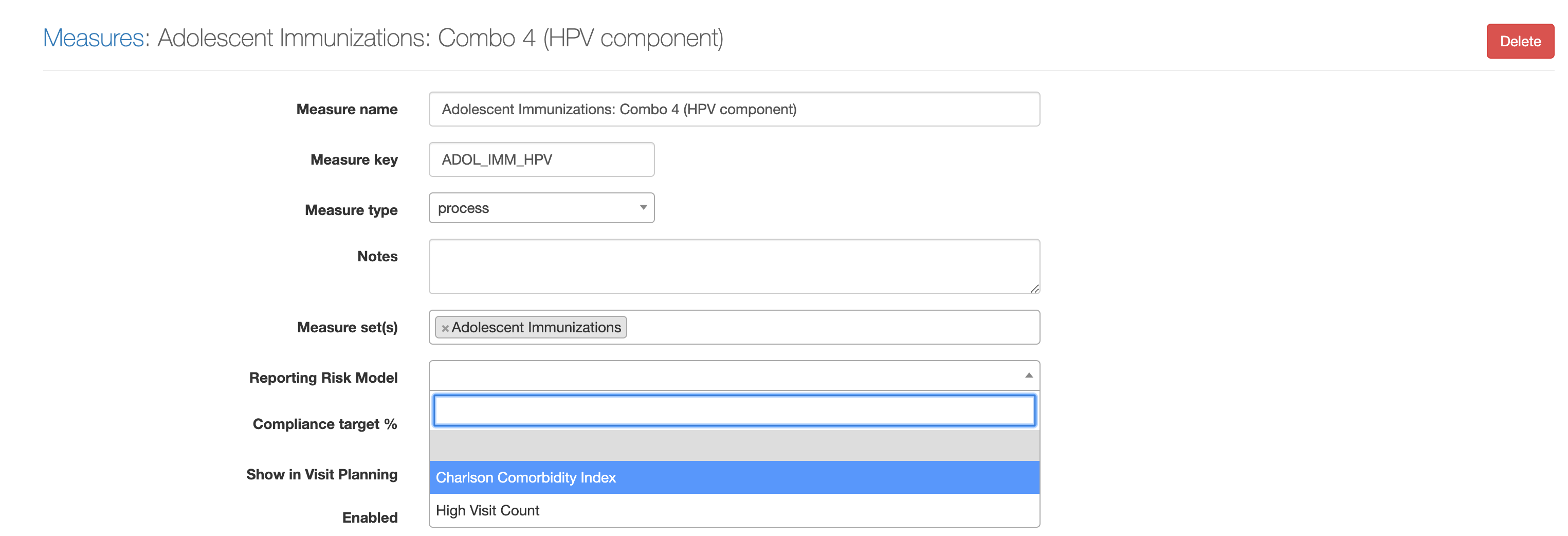
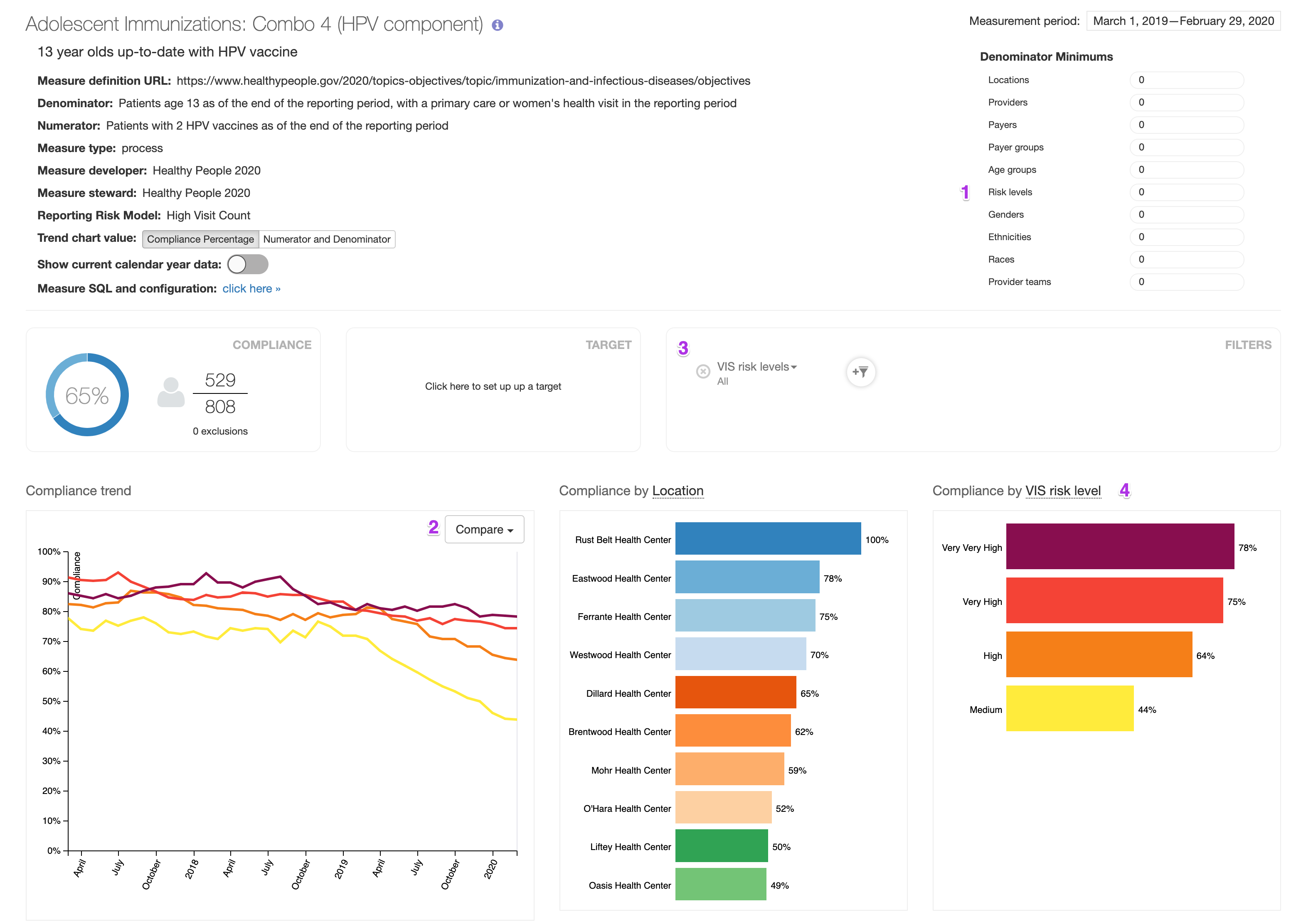
Users will be able to interact with the reporting risk model’s risk levels on the corresponding measure’s dashboard in the following ways:
- Setting denominator minimums for risk levels
- Comparing the compliance trend across risk levels
- Applying risk level filters through the Filters interface
- Comparing compliance & filtering by risk level through the Compliance Pane interface
At any given time, only one reporting risk model can be associated with a quality measure. However, users can change this at any time and re-run the quality measure to view results with another risk model.