
Configuring Risk Models Overview
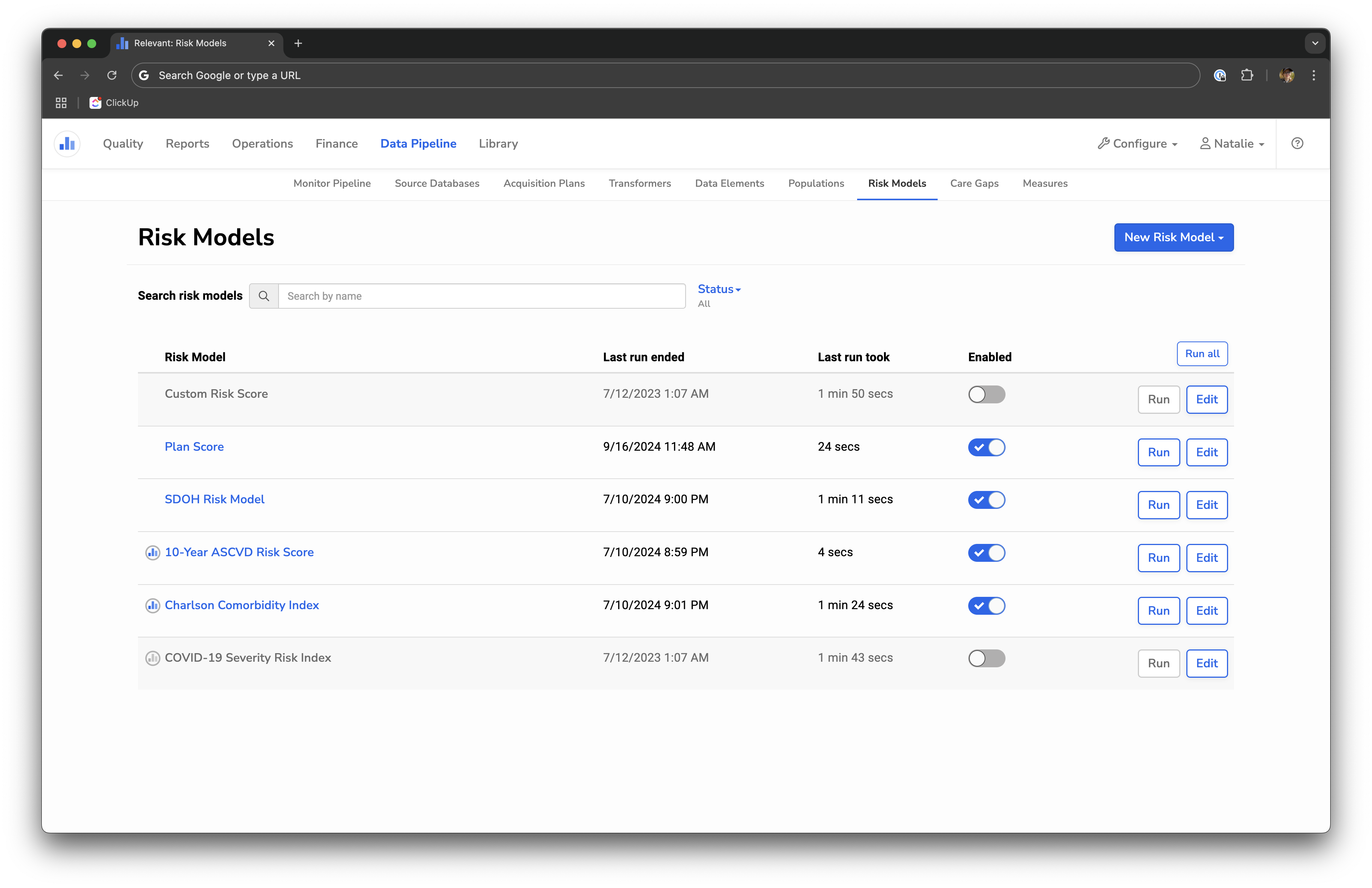
Users with the Manage Data Pipeline ability will be able to navigate to the Risk Models configuration page via Data Pipeline > Risk Models.
From the configuration page, users can do the following:
- Create a new risk factor or SQL-based Risk Model.
- Edit an existing Risk Model.
- Enable and disable a Risk Model by toggling it on/off. Note: disabling a risk model prevents it from calculating results during the Data Pipeline and removes its results from display on other screens (e.g. Visit Planning).
- Run a Risk Model individually to update its results.
Regardless of custom Risk Model type, users can configure the following for all custom Risk Models:
- Name
- Short name (the abbreviation displayed alongside the patient’s risk score and in drop-down menus)
- Description
- Notes (markdown supported)
- Risk levels
Standard Risk Models are indicated with the Relevant logo. These Risk Models are defined and maintained by Relevant. They are not fully configurable, but users can add custom notes and risk levels, as well as enable/disable it.