
Measurement periods
Quality measure results are evaluated over rolling 12-month periods. Reviewing results over a full year helps ensure that performance trends are meaningful and comparable over time.
Shorter or partial periods can make results appear artificially high or low, especially for measures with small denominators or infrequent qualifying events.
Selecting a measurement period
By default, Quality Measures display results for the most recent 12-month period. You can switch to a different 12-month window from the past three years using the measurement period dropdown.
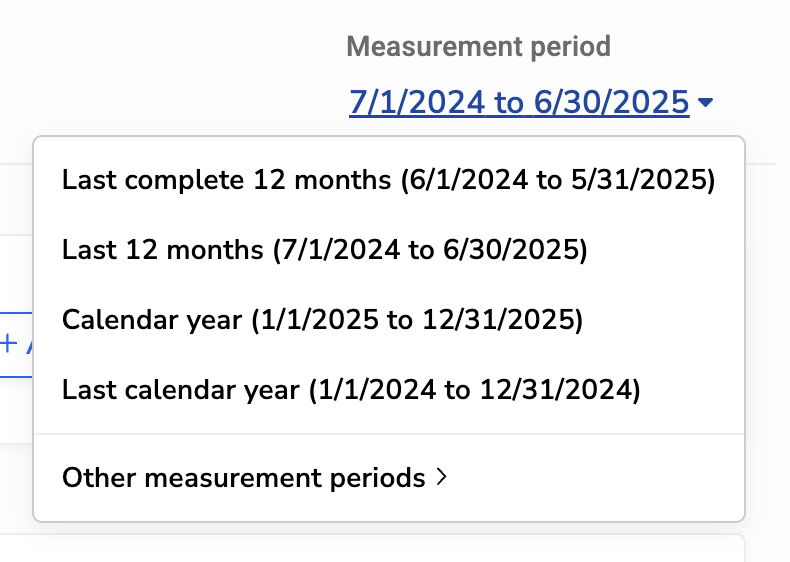
Available options include:
-
Last complete 12 months: The most recent 12-month period for which all data is complete. This option is often best for reviewing stable, finalized results.
-
Last 12 months: The most recent 12 months, including the current month. Because the current month is still in progress, results may change as new data is recorded. This is the default view.
-
Calendar year: The current calendar year to date. Results reflect partial-year data until the year is complete.
-
Last calendar year: The previous full calendar year.
-
Other measurement periods: Any additional 12-month periods from the past three years.
You can also select a measurement period directly by clicking on the trendline in the measure view.
Note: Some measurement periods may not appear at the beginning of a month if the pipeline has not finished calculating results. Once the pipeline run completes, the latest measurement period will fully populate.