
Measure results timeline
The Measure Results Timeline shows the underlying data elements used to calculate a patient’s measure result, so you can validate results and investigate unexpected outcomes.
Note: Timelines are only available when measures read from data elements in the Relevant Data Model (RDM).
When to use the timeline
Use the Measure Results Timeline when:
- A patient’s measure result looks unexpected
- You need to confirm which data qualified or disqualified a patient
- You’re validating results during quality review or UDS reporting periods
What the timeline shows
Each patient’s measure result includes a timeline for every Data Element used in that measure. The timeline shows all recorded values for each element over the past 10 years, giving you historical context for how the result was calculated.
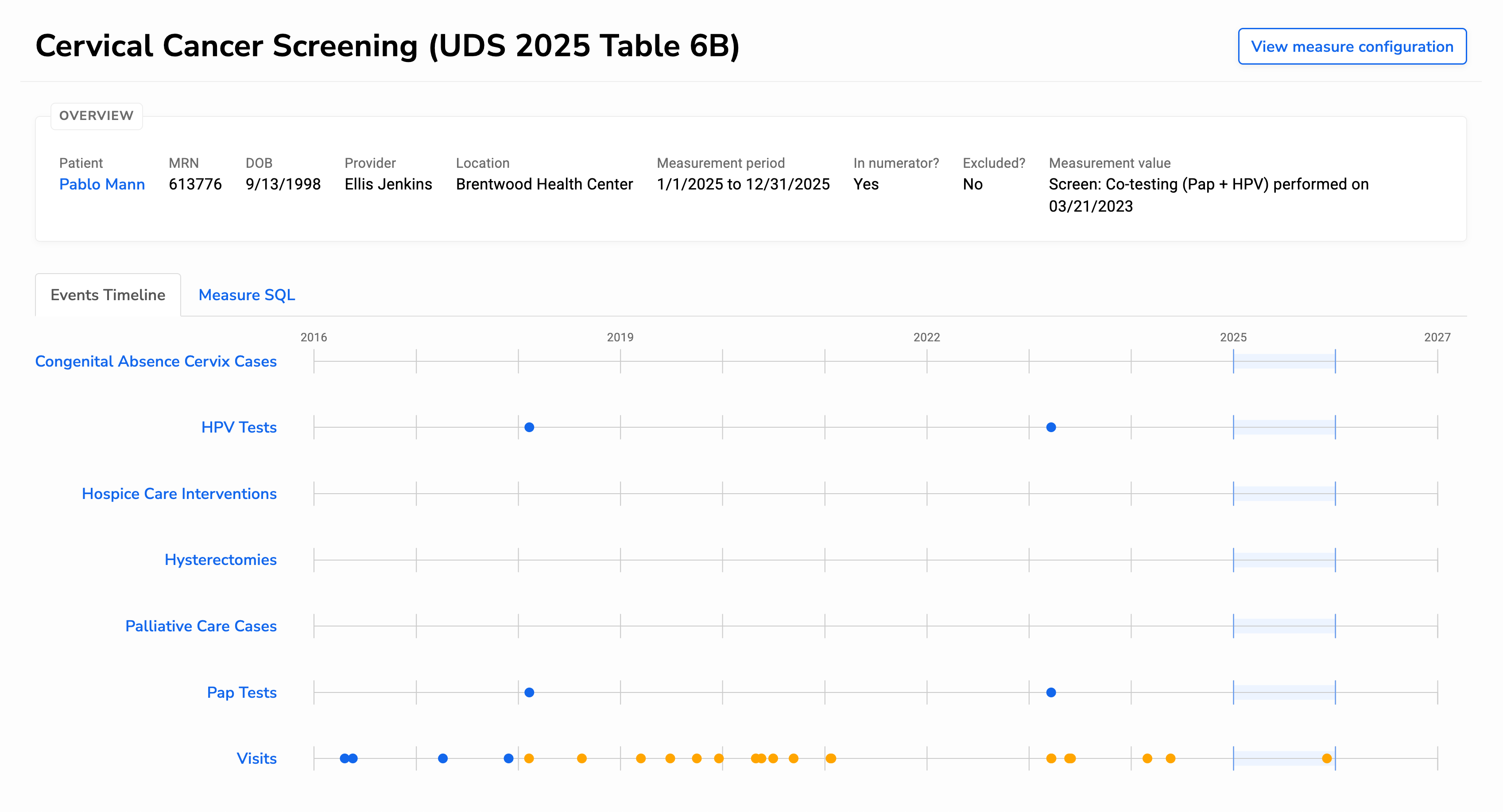
With the timeline, you can:
- See all data points that contributed to a specific measure
- Identify missing, outdated, or unexpected values that affect results
- Trace each data point back to its source to confirm accuracy
You can select any event on a timeline to view details such as the recorded date and value. Each event also has a unique URL, which you can share when reviewing or discussing results with others.