
Measure descriptions and configuration
Each quality measure includes descriptive and configuration details that explain how the measure works and how it is evaluated.
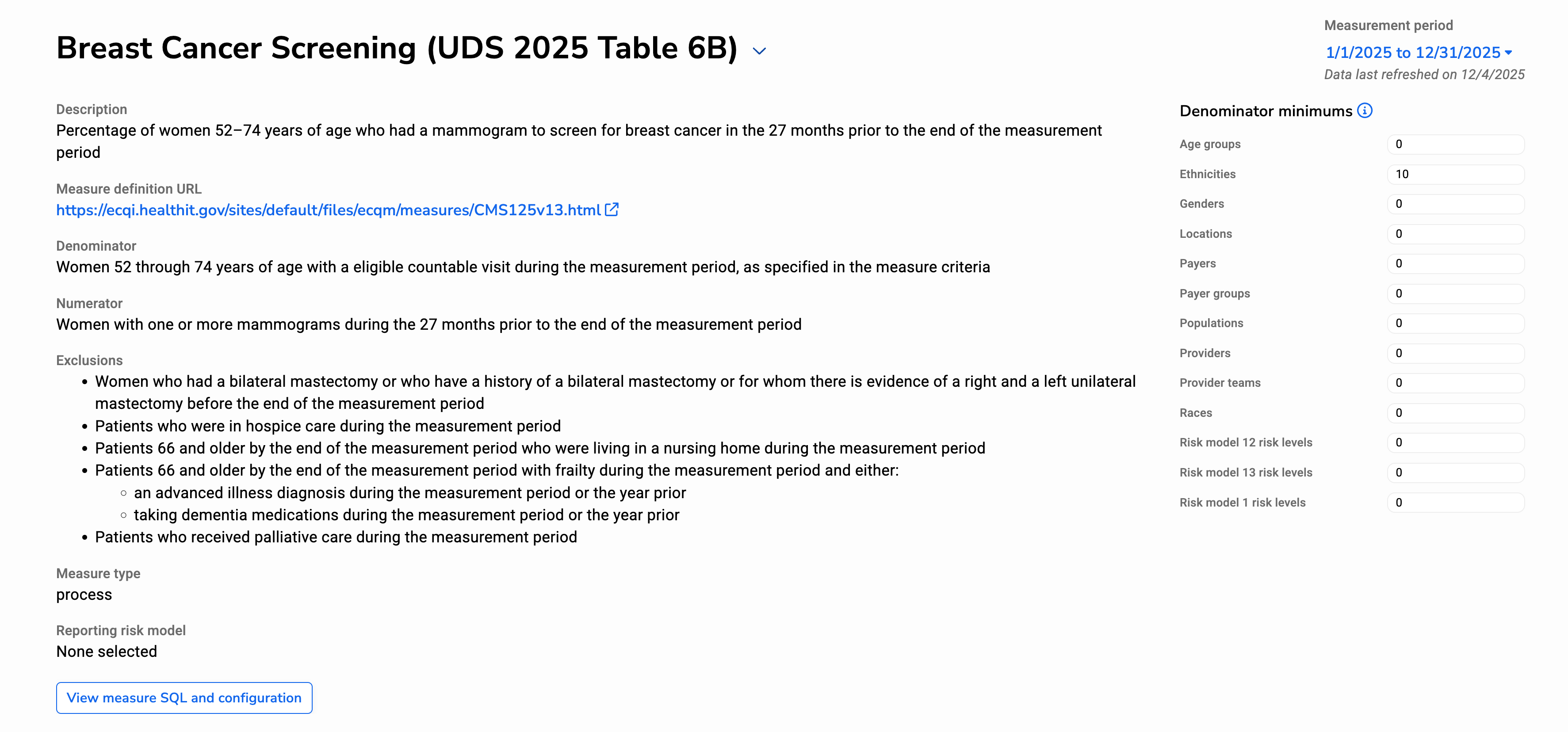
Review measure definitions
For each measure, you can review the measure logic, including the denominator, numerator, and any exclusions. This information is available by expanding the measure header and helps clarify what clinical or operational criteria determine whether a patient is counted in the measure result.
Understanding these definitions is especially helpful when a measure result appears unexpected or when validating results for reporting.
Using denominator minimums
You can apply denominator minimums to control whether results are shown for groups with very small numbers of qualifying patients. Results based on very small denominators can appear unstable or misleading. For example, a trend line based on only one or two patients may show large swings that do not meaningfully reflect performance.
Applying a denominator minimum helps you:
- Avoid over-interpreting results based on very small patient populations
- Reduce visual noise in charts and trends
- Support more consistent comparisons across providers or locations
When a denominator minimum is applied, only groups that meet the minimum patient count are shown in measure visualizations.
Note: Denominator minimums affect how results are displayed only. They do not change which patients are included in the measure calculation.