
Message Templates
Each campaign step holds a message template that describes the message Relevant will send to patients and an expected patient response. Message templates can include multiple languages and parameters to personalize your text messages.
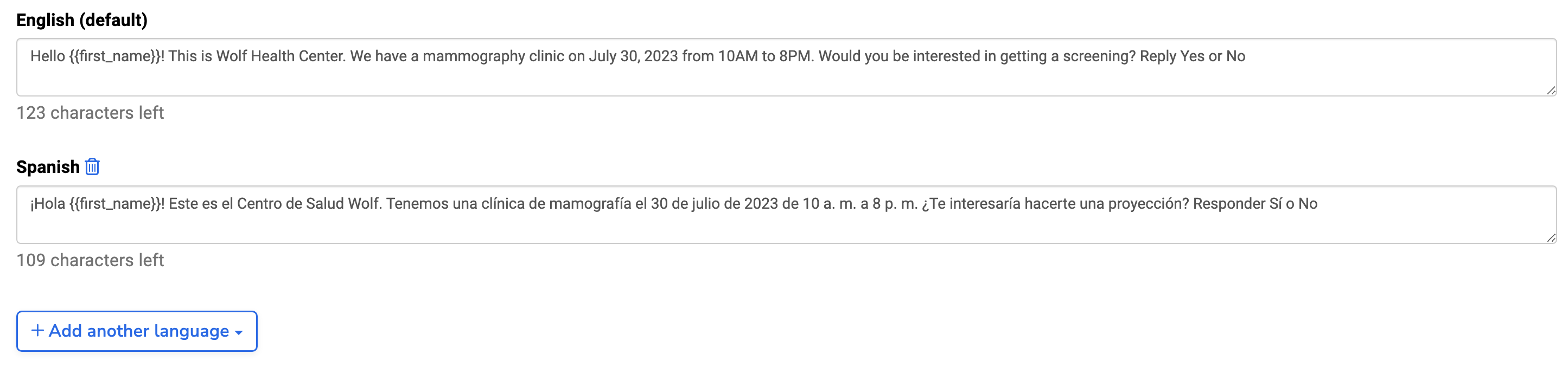
Languages
Campaign steps must include an English message template and can include other mapped languages. Patients receive messages in their preferred language if available, otherwise, they get the default English message. Languages can only be added or removed in the initial message.
Parameters
To personalize your message templates, you can use parameters as placeholders for patient, location, or appointment information. Parameters must be specified using double curly brackets. These options are found by clicking “View parameters” in the Outreach module.
Parameters are counted as part of the character limit, although the actual value may be longer. Relevant Outreach will still send messages if they go over the 300-character limit once parameter values have been inserted.