
Campaign Steps
Each outreach campaign consists of one or more campaign steps. These steps hold information about what message to send to patients, called a message template, and how to interpret messages from patients, called an expected patient response.
Sending a message to patients
Every outreach campaign has one initial campaign step that describes the first message that will be sent to patients. This message will be sent at the scheduled time configured in the Campaign Settings. For outreach campaigns where you do not expect the patient to reply, an initial campaign step is all that’s needed.
Note: if you worked with Relevant outreach campaigns in 2021 through May 2023, all of the campaigns that you created had a single, initial campaign step
Receiving messages from patients
Each campaign step has an expected patient response that defines what text patients can send back (e.g. “yes” or “no”) and how to generate responses based on those messages. By default, this is set to “None”.
Selecting an expected response type(other than “None”) adds campaign steps to your outreach campaign, building a tree-like structure.
When a patient replies to a given campaign step, Relevant will validate that the patient responded correctly and automatically send the appropriate response in the campaign step tree. Relevant will continue the conversation until a campaign step’s expected response is “None”. Campaigns can be configured for up to two patient responses (see the last example below).
Examples of campaign steps
Here are some examples of ways you can configure campaign steps to respond to patients. Note: this uses a fictional health center called “Doe Health Center”
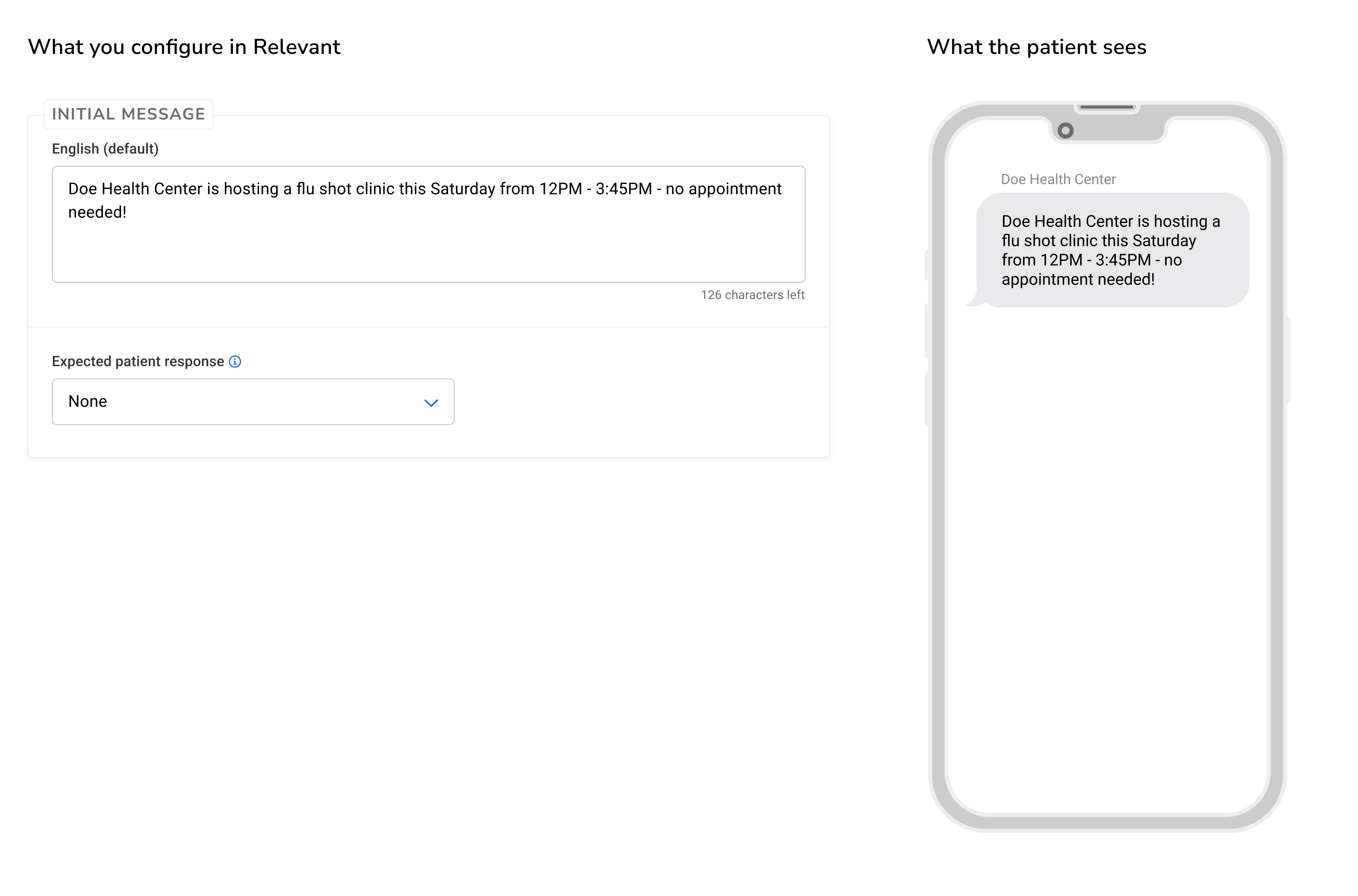
A campaign that does not expect the patient to respond
In this example, the patient will receive a text at the campaign’s scheduled time. Relevant will not interpret any responses if the patient replies to the message.
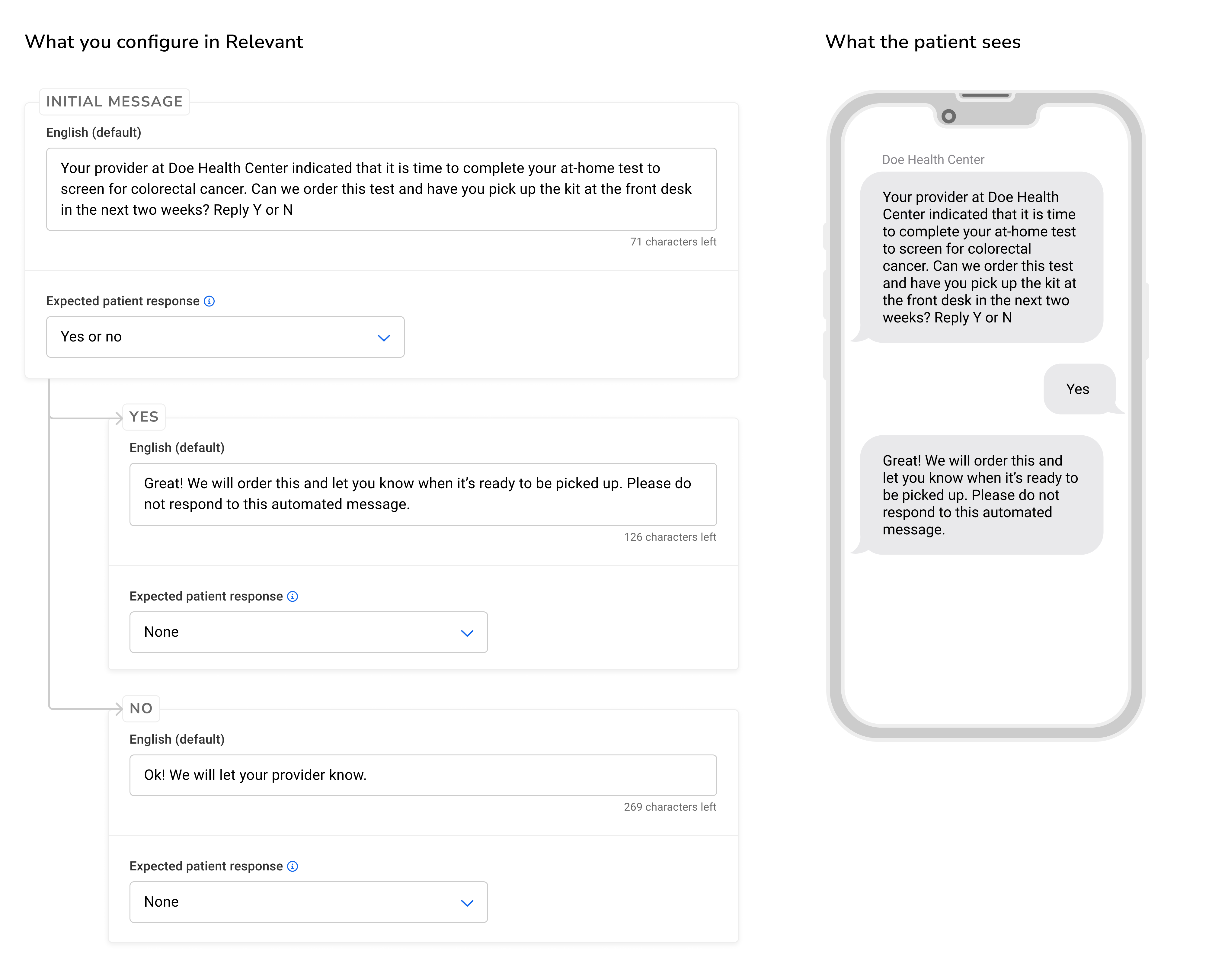
A yes or no campaign
In this example, the outreach campaign is configured to have 3 campaign steps: the initial message and the yes or no responses. When patients respond to this message, Relevant will decide whether to send the message from the “Yes” or “No” campaign step. Because the “Yes” or “No” responses have no expected response, the conversation with the patient will end on either of those messages.
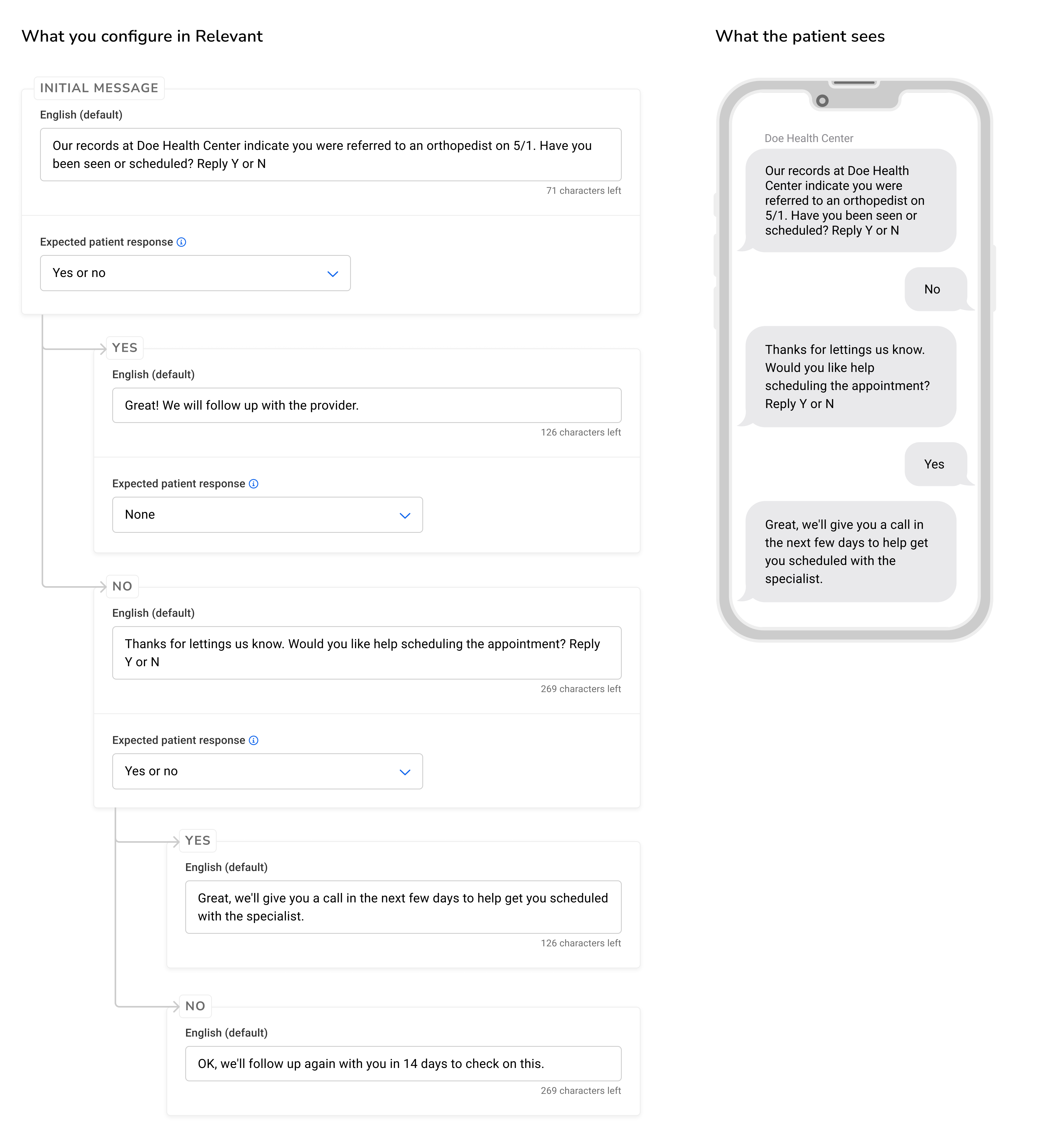
A campaign with nested campaign steps
In this example, the outreach campaign is configured to have 5 campaign steps: the initial message, yes or no responses, and nested yes or no responses.
The “No” response has nested campaign steps. This means, that if a patient responds “No” to the initial message, they will get another text message that Relevant will interpret and auto-respond to. Once the patient responds again, the conversation will end.
If you have further questions, check out the frequently asked questions about Relevant Outreach.