
Validating Care Gaps
Note: to validate you will need the “Read Data Pipeline” and “Read PHI” abilities. These are often included in a “Validation” Role. If you are unable to follow the directions below, please reach out to the Relevant lead at your organization to provide you with the appropriate Role(s).
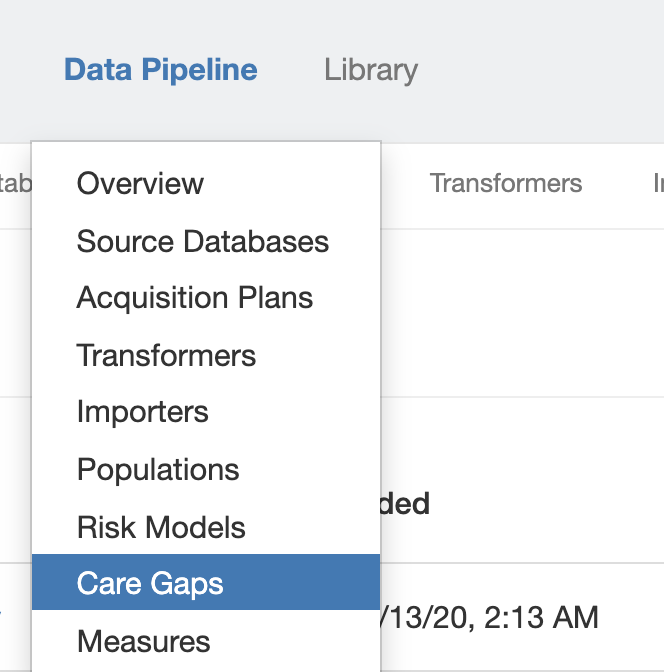
At top in the Navigation Bar, click Data Pipeline and select Care Gaps.
Click on the name of the Care Gap you’d like to Validate, then click Actions.
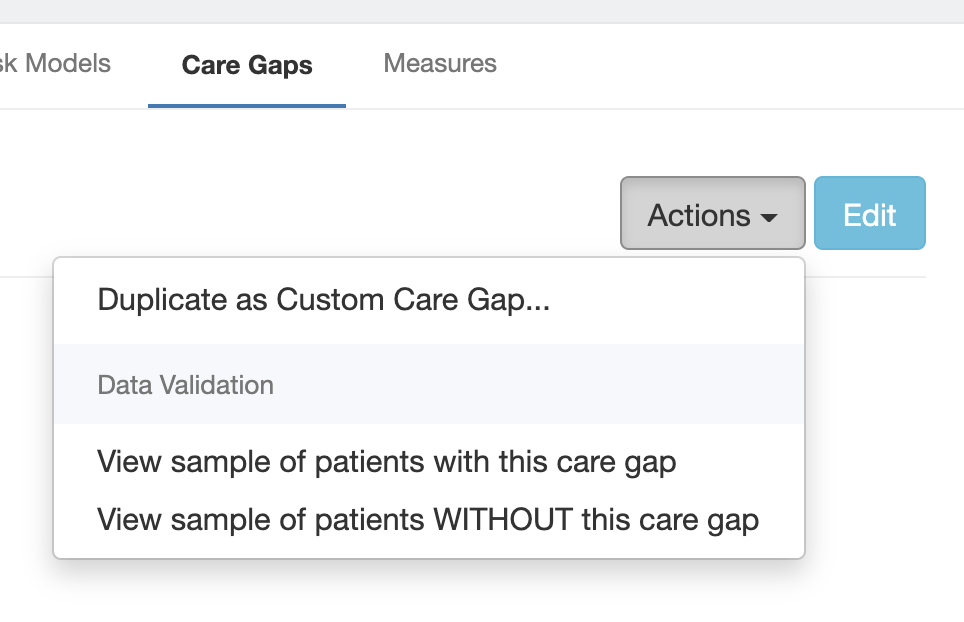
Click View sample of patients with this care gap to generate a random sample of 20 Patients with the selected care gap.
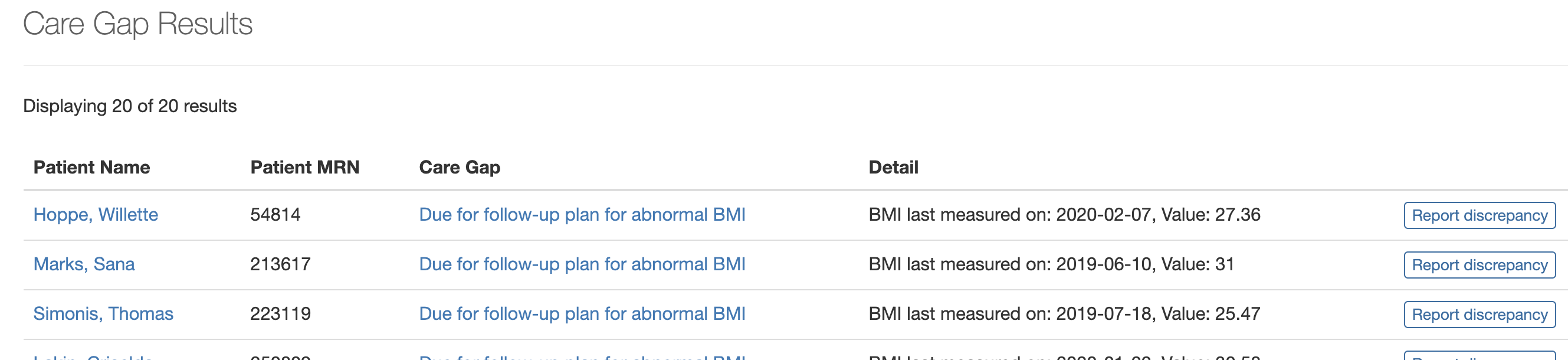
Check the data points for each Patient against what you see in the EHR. If you notice any issues, click Report discrepancy at right, provide details on what should be fixed in the Description box, then click Send.
Repeat the process of validating random samples of Patients until you are confident the data is correct.
Then, click View sample of patients WITHOUT this care gap to generate a random sample of 20 Patients not included in the Care Gap, either because they met the requirements or are not included in the universe. Repeat the steps listed above and report any Discrepancies you find.
Note: Relevant does not save the randomly generated list, so if you’d like to keep them for future reference, be sure to click Export to save the list as an Excel file.