
Navigating Relevant
Navigating Relevant can be done using the tiles on Relevant’s home page and through the navigation menus at the top of the page.
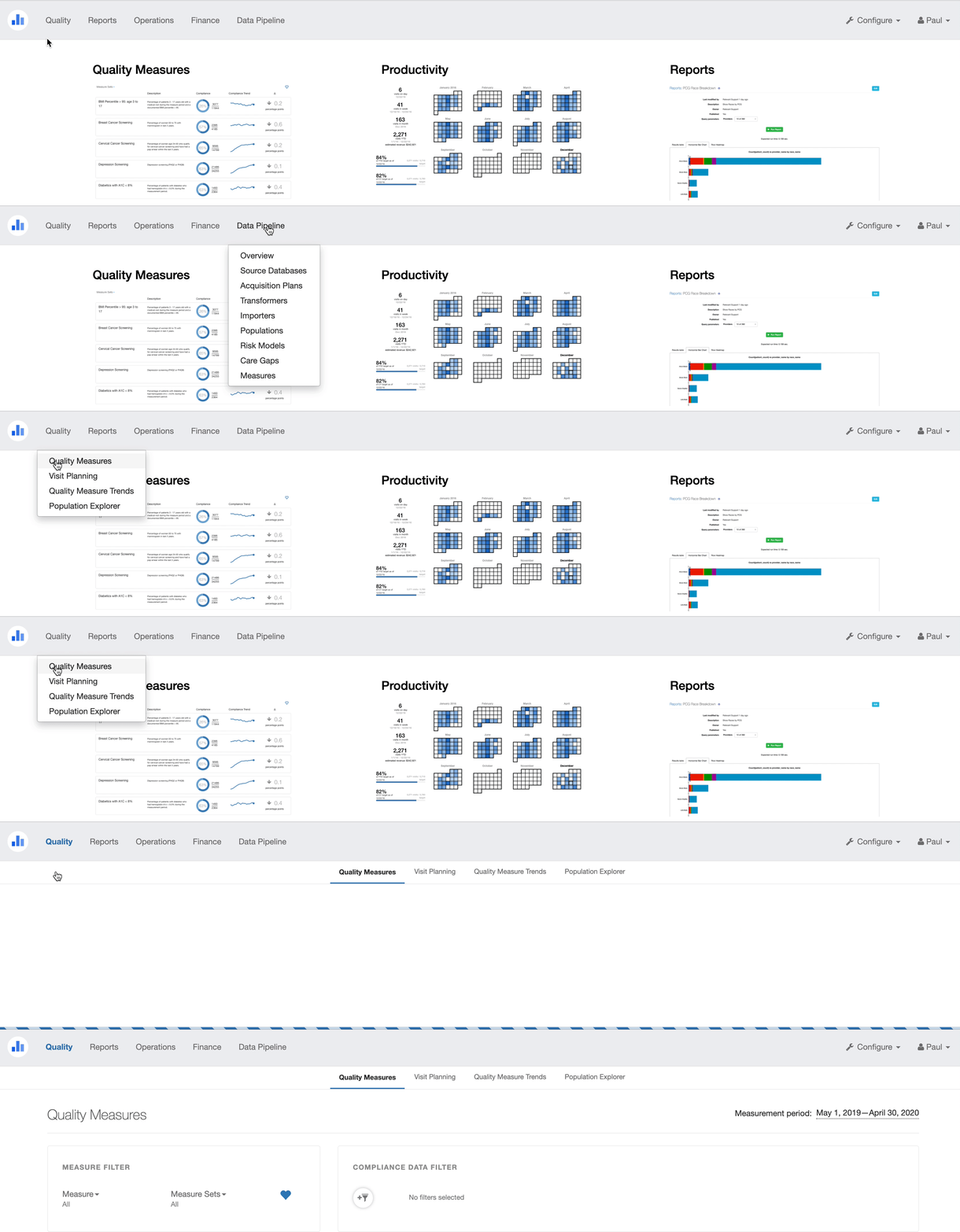 Tools in Relevant are grouped into content areas, reflected in the navigation menu headers:
Quality
- Quality Measures
- Visit Planning
- Quality Measure Trends
- Population Explorer
Reports
- Reports
- Dashboards
- UDS
Operations
- Productivity
- Panel Explorer
- Visit Trends
- Visit Calendar
Finance
- A/R Aging
- Payments
- Payment Percentage
- Claim Trends
Data Pipeline
- Overview
- Source Databases
- Acquisition Plans
- Transformers
- Data Elements
- Populations
- Risk Models
- Care Gaps
- Measures
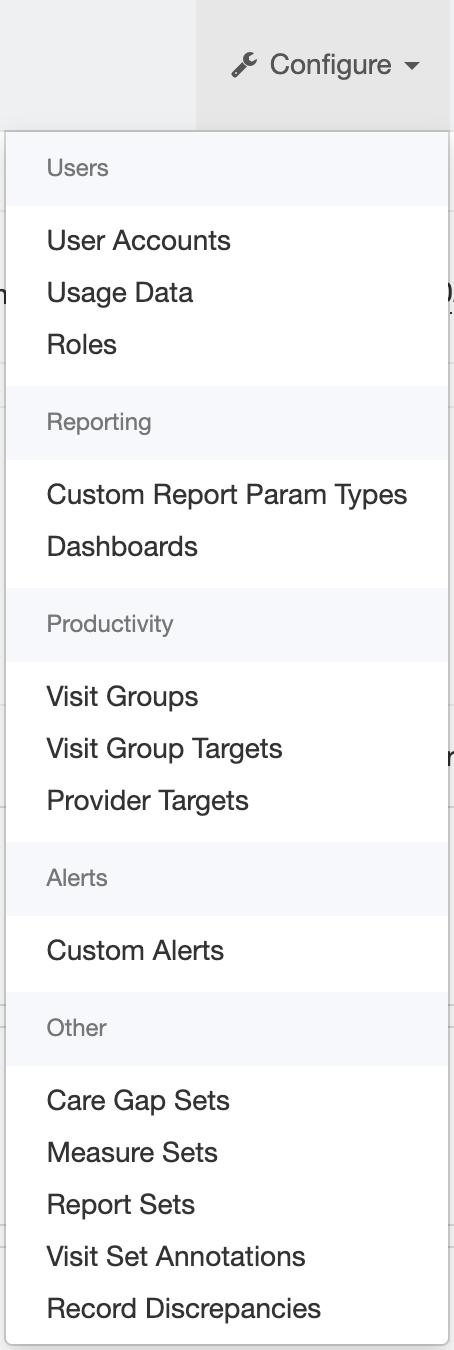
Additional configuration options can be found in the Configure menu.
Note that not all users and not all health centers will have access to the all of the above tools. Contact your Relevant administrator or support@relevant.healthcare if you believe you are unable to access something that should be available to you.