About the database “Search path”
Understanding schemas and search paths
Relevant’s data warehouse is divided into schemas, which are organizational units within a database. You can learn more about the contents of these schemas in Data Warehouse Overview.
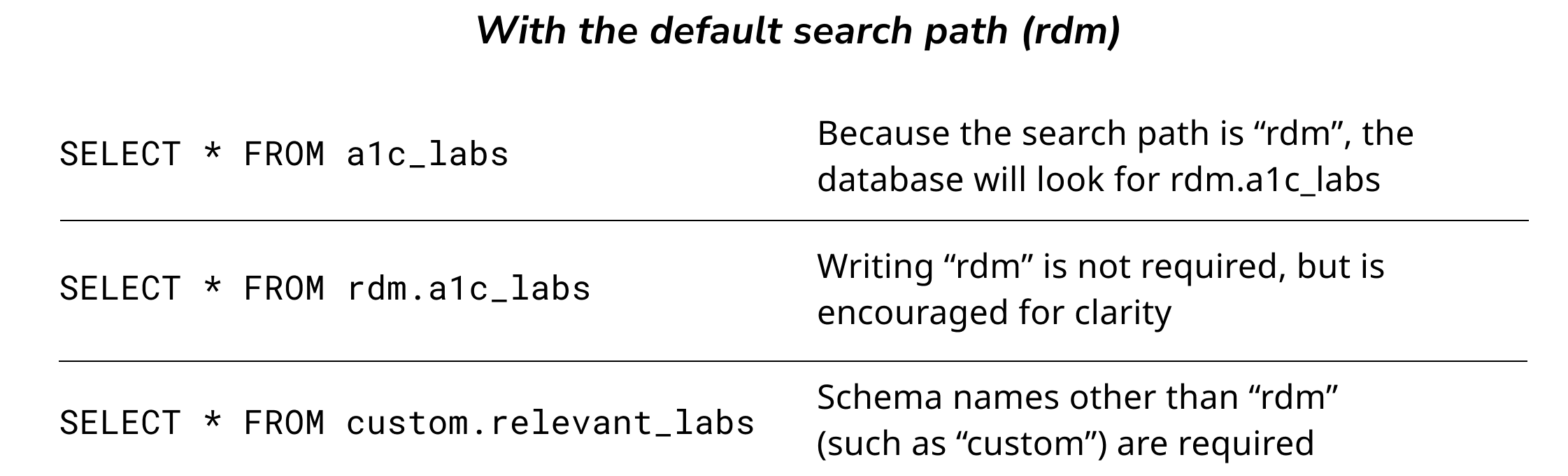
When writing SQL queries, you’ll typically need to refer to the schema as well as the table name. For example: to refer to the “patient_id” column in a table called “relevant_labs” that lives within the “custom” schema, you’d write custom.relevant_labs.patient_id.
Sometimes, though, it magically seems as if you don’t need to specify the schema. How does this work? The magic happens because of something called the “search path” for a query. The search path tells the database where to look for a table if the schema is not explicitly specified. For technical details of how search paths work, see the PostGreSQL documentation on schemas and search paths.
When writing SQL queries within Relevant—for example, when editing the SQL for a report or a quality measure—the search path will typically be set to “rdm”. This explains why it’s optional to explicitly specify rdm in queries, but required for all other schemas.
About the “Normal” vs. “Legacy” search path
During the spring and summer of 2023, Relevant upgraded its data warehouse architecture from a setup with two databases—Staging and Relevant—to a setup with a single, combined database. We wanted this transition to be seamless, which meant that queries written before the transition—typically, without schema names—needed to continue to work in the new world.
This is why we introduced a “Legacy” search path option, which includes all of the schemas that correspond to the old Staging database. During the transition, we assigned this Legacy search path to all of the existing queries that used the Staging database. This setting explains why these queries continue to “just work,” even though they reference tables in schemas other than “rdm” without explicitly specifying those schemas.
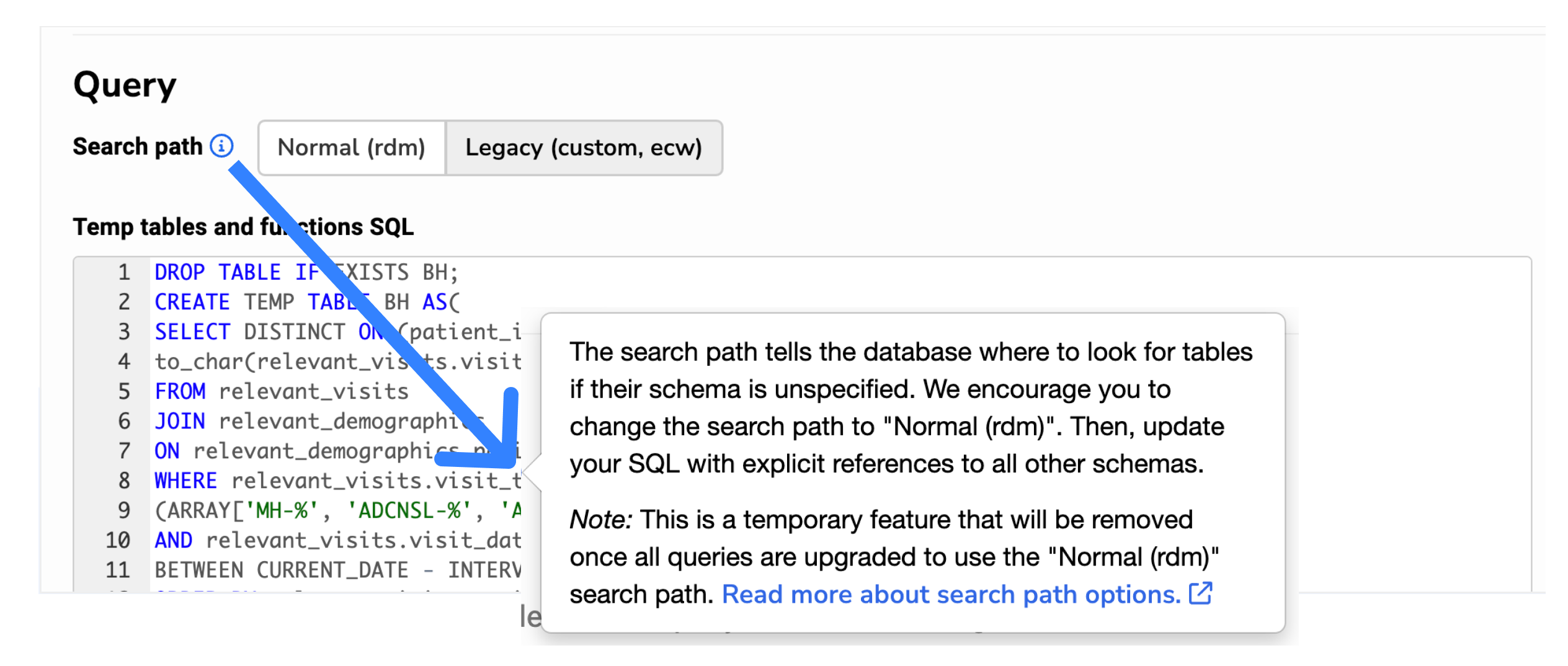
Over time, we encourage you to update any queries that use the Legacy search path. First, add explicit schema references in their SQL. Then, toggle the search path option, pictured in the below screenshot, to “Normal (rdm)”. Once all queries are moved over to use this “Normal” search path, we plan to remove the search path toggle entirely. And then life will be a little simpler. Transitions are complicated!
Setting the search path in external tools
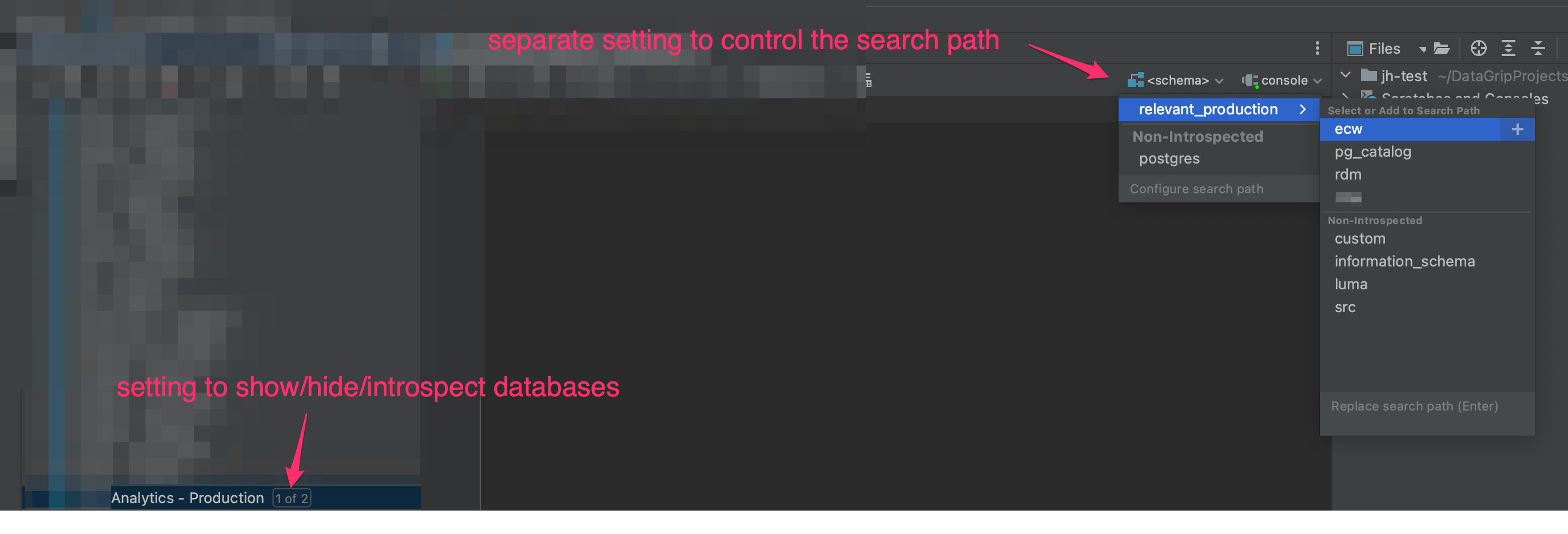
Many external query editors also have search path settings which can be adjusted as needed. Below is what the search path setting looks like in DataGrip. (Note that the search path setting in DataGrip is separate from the show/hide/introspect databases setting in DataGrip; you will probably want to adjust both of these things to your liking.) For tools other than DataGrip, please consult the tool’s documentation for search path details.