
Version Control
SQL editors in Relevant include built-in version control. This helps you track changes to your SQL, view edit history, and revert back to an older version if necessary.
Viewing and comparing versions
Version control automatically tracks every saved change made to your SQL query in Relevant. There is no limit to the amount of versions it will store.
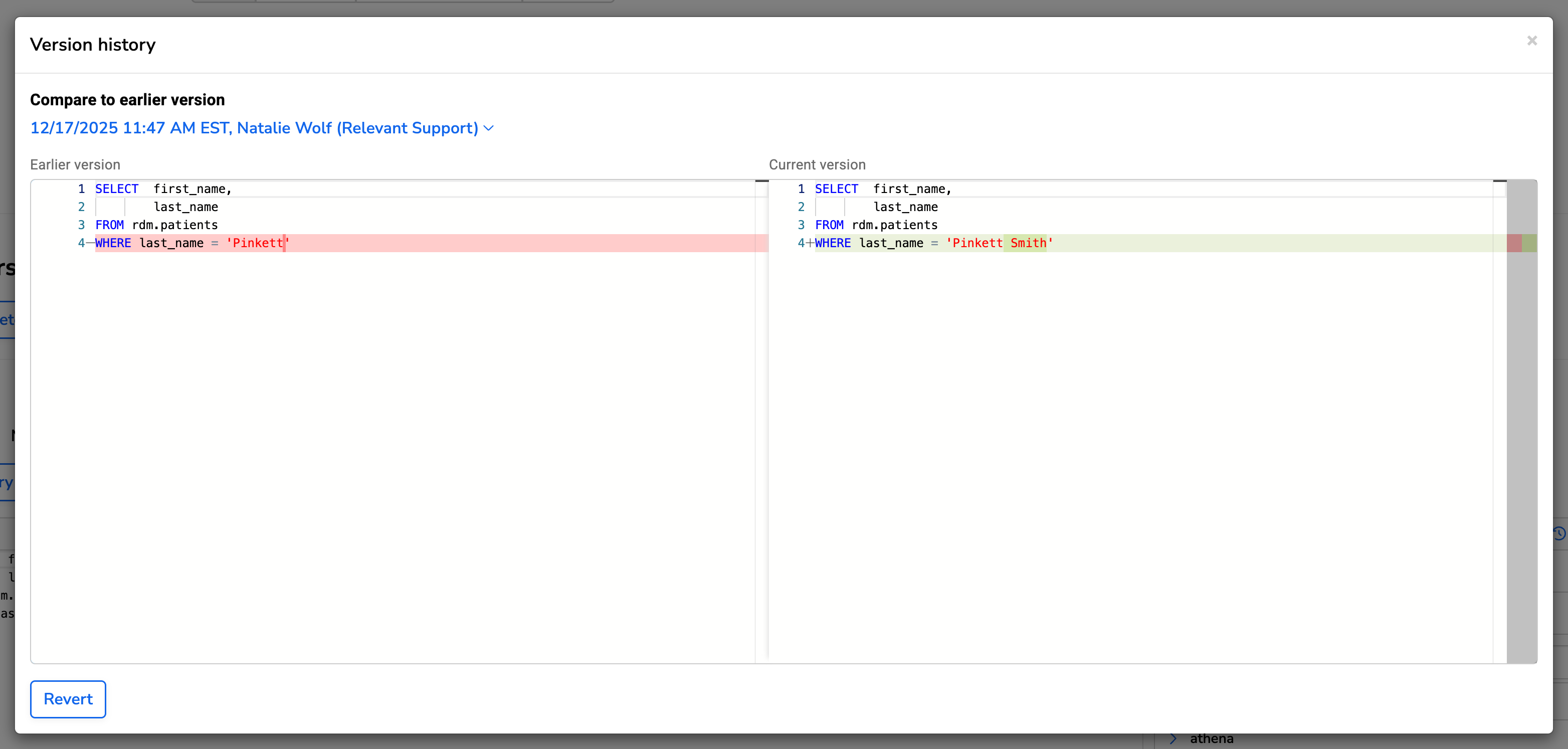
When you open version history, you will see a list of all saved versions along with timestamps and authorship. Selecting a version will:
- Show a side-by-side comparison of the selected version and the current version
- Highlight the line differences
- Indicate which lines will be removed or added if you revert.
For example, if the previous version has WHERE last_name = 'Pinkett' and the current version contains WHERE last_name = 'Pinkett Smith', reverting would replace the current condition to the earlier one.
Changes from a reversion are not permanent until you save the report. This gives you a chance to review and test the SQL before committing to the update.