
Setting up a source database
In order to connect to your EHR database, your Relevant instance needs to have a running Data Acquisition Agent (DAA) online. For setup instructions, see Setting up the Data Acquisition Agent.
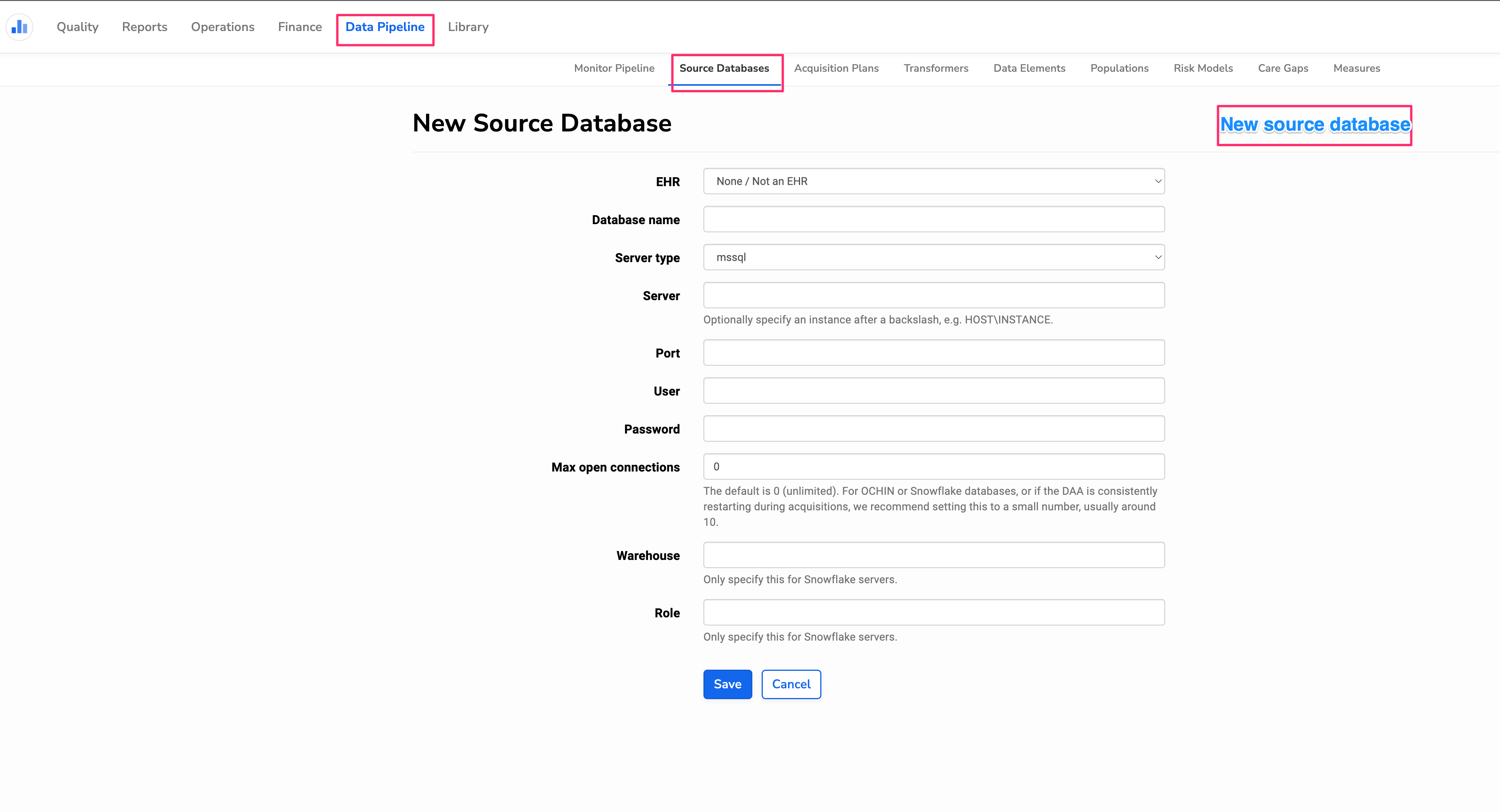
Then, you can add a new source database connection under Data Pipeline > Source Databases > New Source Database. From there, you can configure the source database with the following information:
- EHR: Set the EHR for the data source you are connecting. This will control the name for the schema your EHR data is stored in once loaded into the Relevant Data Warehouse. If the type is not in the list, select none.
- Database name: The name of the source database (i.e. mobiledoc, ngprod, etc).
- Server type: At the moment, we connect to databases hosted in Microsoft SQL Server, MYSQL server, Snowflake, Openedge, and SAP SQL Anywhere.
- Server: IP address (internal or external) or server name.
- Port: You can specify the port for connection. If unsure, try 1433 for mssql server, 2600 for medman (openedge).
- User and Password: Enter the read only credentials to your EHR database.
Once your source database is saved, you can test the connection to your source database by check the status under Data Pipeline > Source Databases.
There are three possible source database statuses:
- Healthy: the DAA is successfully connected to the specified source database.
- Status check enqueued: please wait for the DAA to check the status. If this state persists for more than a few minutes, check if the DAA is running and if not, restart it.
- Unhealthy state: the DAA can’t connect to the specified source database. Please check source database details and reach out to support@relevant.healthcare if you need help troubleshooting.
